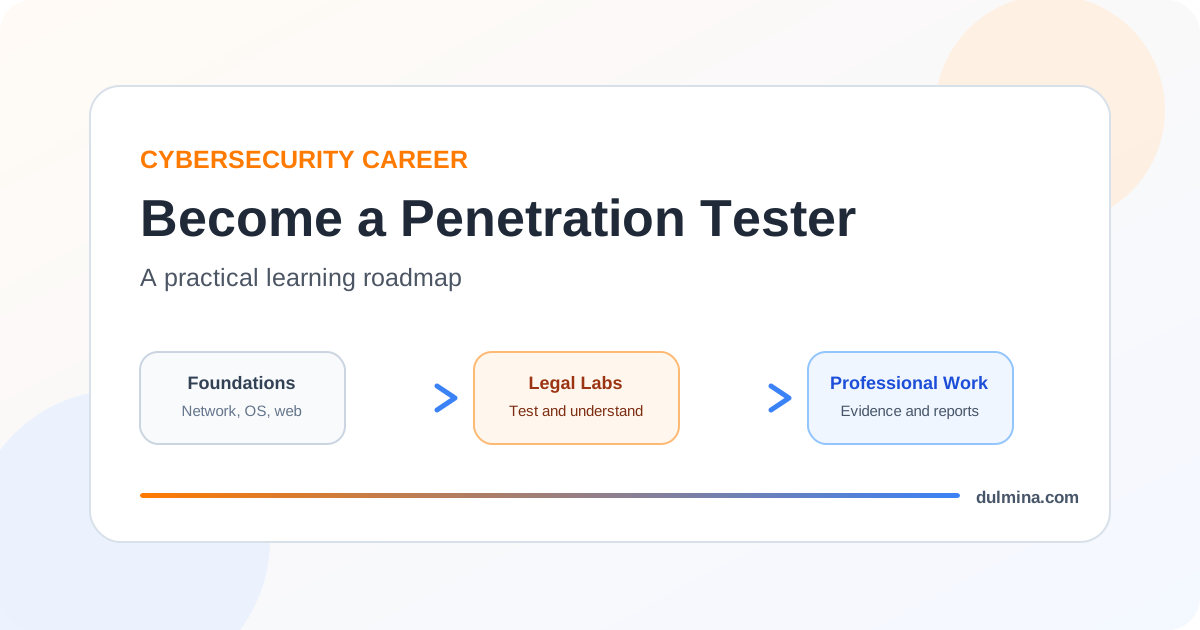
Becoming a penetration tester is less about collecting hacking tools and more about learning how systems behave, how security assumptions fail, and how to explain risk clearly after testing a system with permission.
That last part matters. Professional penetration testing is authorised security work. A tester operates within an agreed scope, follows rules of engagement, limits unnecessary impact, records evidence carefully and reports findings so the organisation can fix them. If the learning process skips those habits and focuses only on exploitation, it is preparing for a different activity than professional pentesting.
The good news is that the path is learnable. You do not need to master every cybersecurity topic before starting. You do need strong computing foundations, repeated hands-on practice in legal environments, and enough patience to understand why a technique works instead of memorising a sequence of commands.
The NIST NICE Workforce Framework is useful for thinking about this career because it describes cybersecurity work using tasks, knowledge and skills rather than treating job titles as fixed definitions. That reflects reality: a penetration testing role may lean toward web applications, internal networks, cloud environments, APIs, mobile systems or a mixture of them.
The roadmap in one picture
A sensible learning sequence is to build foundations first, then learn testing methodology, specialise through controlled labs, and finally prove that you can communicate useful results.
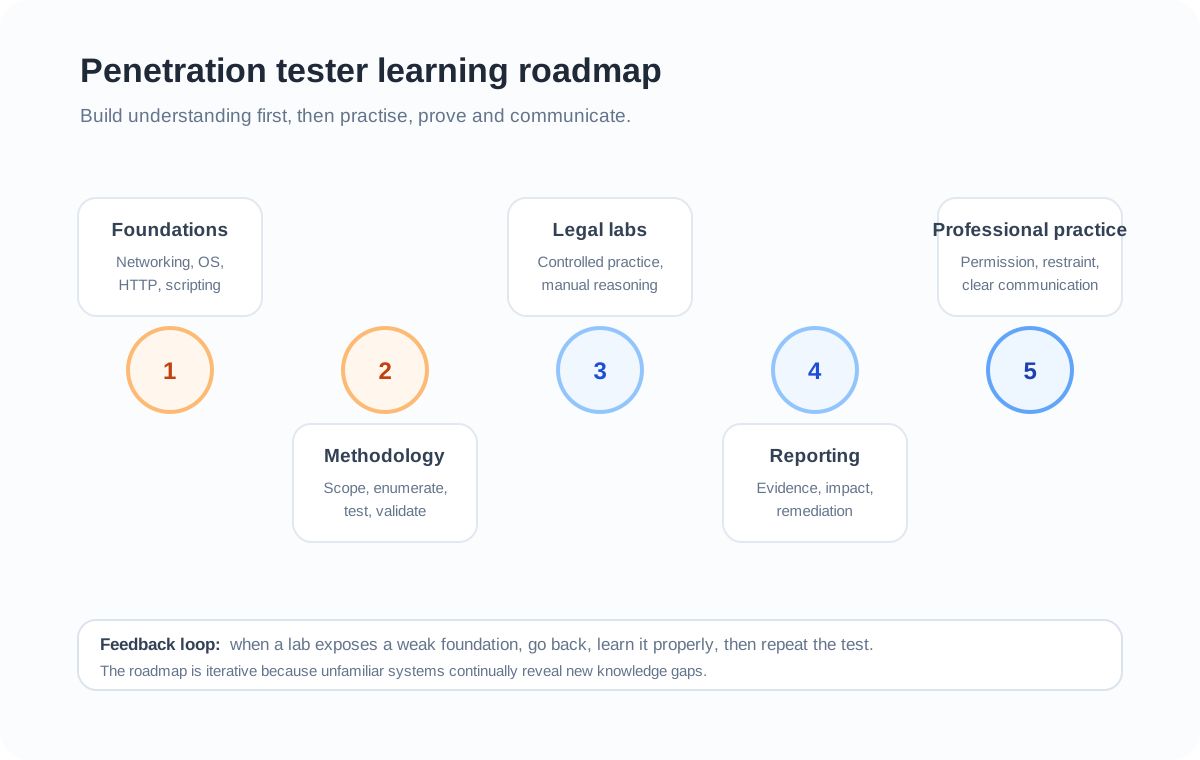
The order is not rigid. You will often move backward to strengthen a weak area. For example, a difficult Active Directory lab may expose gaps in Windows administration, while a web lab may reveal that you need a better understanding of HTTP or JavaScript. That feedback is valuable because real security work constantly forces you to revisit fundamentals.
Step 1: Build the computing foundations first
A penetration tester spends a great deal of time asking why a system responded in a particular way. That is difficult if the underlying technologies are still mysterious.
Start with networking. You should be comfortable with IP addressing, subnets, routing, DNS, TCP and UDP, common ports, HTTP and HTTPS, TLS at a conceptual level, and the difference between a host, service and application. You do not need to become a network engineer, but you should be able to follow a connection from a client to a service and reason about what can be observed or filtered along the path.
Then learn practical Windows and Linux administration. Understand files and permissions, users and groups, processes, services, environment variables, package management, scheduled tasks, logs, remote administration and basic networking commands. Penetration testing frequently becomes much easier when you recognise what a normal operating system looks like before trying to identify abnormal or insecure behaviour.
Basic scripting is also worth learning early. Python, Bash and PowerShell are common choices, but the exact language matters less than being able to automate repetitive tasks, transform data, make HTTP requests, parse results and understand code written by someone else.
OffSec’s current PEN-200 course page lists TCP/IP networking, Windows and Linux administration, and basic Bash or Python scripting among its strongly recommended background skills. That is a useful external confirmation of the same principle: offensive security sits on top of general computing knowledge rather than replacing it.
Step 2: Learn web and API fundamentals before chasing vulnerabilities
Modern penetration testing often involves web applications and APIs, so HTTP should become familiar rather than intimidating.
Learn how requests and responses work, including methods, headers, cookies, status codes, redirects, content types and caching. Understand sessions, authentication, authorisation, browsers, same-origin concepts, basic JavaScript, forms, JSON and REST-style APIs. Learn enough SQL to understand how applications communicate with relational databases.
Once those pieces are clear, vulnerability classes make more sense. SQL injection becomes a data and query boundary problem rather than a magic payload. Broken access control becomes a failure in server-side authorisation rather than simply changing an identifier. Cross-site scripting becomes a question of how untrusted data reaches an executable browser context.
You can use the OWASP Web Security Testing Guide as a structured testing reference. OWASP describes the WSTG as a guide to testing web applications and web services, and its stable material covers areas such as identity, authentication, authorisation, session management, input validation and business logic testing.
For hands-on practice, PortSwigger’s Web Security Academy is particularly useful because it combines explanations with controlled interactive labs. Its current topic set includes SQL injection, cross-site scripting, access control, authentication, SSRF, API testing, request smuggling, GraphQL, JWT attacks and other modern web security areas. PortSwigger explicitly provides these labs as a safe and legal learning environment.
If you are building this foundation now, the articles on injection attacks, broken access control and security misconfiguration can also help connect individual vulnerabilities to the design mistakes behind them.
Step 3: Learn a repeatable penetration testing methodology
Good testing is not random scanning. A repeatable process helps you avoid missing important attack surface and makes your work easier to explain later.
A simplified engagement might move through these stages:
- Understand scope and rules. Identify what systems are authorised, what actions are restricted, how test data should be handled and who to contact if something unexpected happens.
- Map the target. Identify hosts, services, applications, APIs, technologies, trust relationships and exposed functionality that are within scope.
- Form hypotheses. Ask where authentication, authorisation, input handling, configuration, patching or trust boundaries might fail.
- Test carefully. Validate the hypothesis with the least disruptive method that produces adequate evidence.
- Assess impact. Determine what a successful weakness could allow in the context of the actual system.
- Document evidence and remediation. Record reproducible steps, affected components, limitations and a practical fix.
- Retest when appropriate. Verify that remediation actually closes the weakness without creating a new problem.
This structure matters because a scanner result is not automatically a penetration test finding. Tools can identify clues, but professional judgement is needed to determine whether a weakness is real, reachable, exploitable within scope and important to the organisation.
Step 4: Build a legal lab and practise deliberately
The fastest way to turn theory into skill is repeated practice in systems you own or environments that explicitly authorise testing.
A small local lab can include a Linux virtual machine, a Windows virtual machine, a deliberately vulnerable application and a separate testing machine. Keep the network isolated from systems you do not intend to test. Snapshots are useful because they let you restore a known state after experiments.
Do not measure progress by the number of machines you have “pwned”. Measure whether you can explain the path.
For every lab, try to answer:
- What exposed the attack surface?
- What assumption failed?
- What evidence proved the weakness?
- What prerequisites were required?
- What would reduce or remove the risk?
- What did the tool automate that I should understand manually?
PortSwigger’s Academy gives you web-focused controlled labs. OffSec’s current PEN-200 curriculum uses hands-on modules and challenge labs across enumeration, web and application attacks, Windows and Linux privilege escalation, Active Directory, pivoting and cloud topics. The products are different, but both reinforce the same lesson: penetration testing skill grows through repeated application, not passive reading alone.
Step 5: Learn the tools, but do not become dependent on them
A penetration tester will eventually use many tools. Nmap can help map services. Burp Suite can intercept and modify HTTP traffic. A proxy, packet capture tool, directory discovery utility, vulnerability scanner or exploitation framework may be useful depending on the engagement.
The mistake is learning commands without understanding the result.
If Nmap reports an open TCP port, you should know what that means. If Burp shows a session cookie, you should understand how the application uses it. If a scanner reports a possible vulnerability, you should know how to validate it safely and why false positives occur. If an exploit framework has a module for a weakness, you should still understand the vulnerability, prerequisites and likely impact before running it.
Tools should increase the speed and consistency of your reasoning, not replace the reasoning.
Step 6: Practise reporting as seriously as exploitation
A penetration tester’s output is normally a report, not a shell prompt.
A useful finding should let another technical person understand what is wrong and reproduce it safely. It should also help a decision-maker understand why the issue matters.
A strong finding usually contains:
- a clear title and affected component;
- the security condition that is wrong;
- concise reproduction steps;
- evidence that demonstrates the issue without exposing unnecessary sensitive data;
- realistic impact in the tested environment;
- relevant prerequisites or limitations;
- practical remediation guidance;
- references when they genuinely help the reader.
Avoid inflating severity to make a report look impressive. Severity should reflect exploitability, impact and environmental context. A weakness that sounds dramatic in isolation may be constrained by authentication, network location, permissions or other controls. Conversely, a simple access-control failure may be serious if it exposes sensitive records across users.
The habit of writing findings also improves technical skill because it forces you to explain exactly what you proved.
A practical skills matrix
The table below is a learning guide, not a hiring checklist. Different pentesting jobs will weight these areas differently.
| Skill area | What you should be able to do | Good evidence of progress |
|---|---|---|
| Networking | Trace connections, recognise services, reason about segmentation and exposure | Explain a small network map and why each service is reachable |
| Linux and Windows | Navigate systems, permissions, processes, services and logs | Diagnose a lab issue without copying every command from a guide |
| Web and APIs | Understand HTTP, sessions, access control, input flow and API behaviour | Manually reproduce a web finding and explain the root cause |
| Scripting | Automate small repetitive tasks and transform results | Write a simple helper script you can explain line by line |
| Enumeration | Build an accurate picture of authorised attack surface | Produce organised notes before attempting exploitation |
| Exploitation | Validate a weakness safely and understand prerequisites | Show a minimal proof that demonstrates impact without unnecessary damage |
| Reporting | Turn technical evidence into a reproducible, prioritised finding | Write a concise report with remediation and limitations |
| Professional practice | Respect scope, rules, evidence handling and communication | Stop and escalate when an action would exceed the agreed boundary |
Step 7: Build a portfolio that shows reasoning
A portfolio can help when you do not yet have professional pentesting experience, but only if it demonstrates useful work.
A folder full of tool screenshots is weak evidence. A better portfolio item is a short security assessment of an intentionally vulnerable application that explains scope, methodology, findings, evidence, risk, remediation and what you could not conclude.
Other useful portfolio pieces include a small vulnerable application you built and fixed, an attack-path diagram, a write-up of a legal training lab that focuses on methodology rather than copied answers, a secure coding comparison, or a script that automates a clearly explained testing task.
Sanitise secrets and do not publish material that violates a lab provider’s rules or reveals data from real systems. The goal is to show how you think, not to prove that you can disclose everything you find.
The broader cybersecurity career paths guide explains why this kind of task-based evidence is useful across security roles, not just pentesting.
Step 8: Treat certifications as structured milestones, not shortcuts
Certifications can be useful because they provide a syllabus, an assessment target and an external signal. They are not a substitute for fundamentals or practice.
If you choose one, work backward from the skills you want to develop and the roles you are applying for. Read the current official syllabus before paying. OffSec, for example, publishes the PEN-200 objectives and syllabus and currently positions it as hands-on penetration testing training covering enumeration, web attacks, privilege escalation, Active Directory and related topics. Other certifications may focus more heavily on web testing, fundamentals or particular toolchains.
The right certification is therefore the one that fills a real learning gap and matches your intended role, budget and current skill level. There is no universal certificate sequence that every penetration tester needs.
Step 9: Learn how professional scope changes the technical work
A legal lab normally gives you a clearly defined target and permission to experiment. A professional engagement introduces constraints that labs often simplify.
Production systems may contain customer data. Availability may matter more than demonstrating an exotic technique. A client may prohibit denial-of-service tests, social engineering, destructive actions or particular persistence techniques. Some assets may be owned by a third party and excluded from scope even if they are technically reachable.
That means mature penetration testing requires restraint. The question is not only “Can I do this?” It is also “Am I authorised to do this, is it necessary to demonstrate the finding, and what could the test itself affect?”
These decisions are part of technical competence, not paperwork around the technical work.
A realistic 12-month learning sequence
You can compress or extend this depending on your background. The important part is the progression, not the calendar.
Months 1 to 3: strengthen networking, Linux, Windows, HTTP, basic Python or Bash, and Git. Build small systems yourself so you understand normal configuration.
Months 4 to 6: study common web and API vulnerability classes and complete controlled labs. Start using Burp Suite and Nmap while learning what each result means.
Months 7 to 9: add privilege escalation, internal-network concepts, Active Directory fundamentals and more structured enumeration. Begin writing full findings for lab vulnerabilities.
Months 10 to 12: complete multi-step labs, build two or three polished portfolio pieces, review job descriptions for recurring skill requirements, and choose a certification only if it supports the gap you actually need to close.
Someone with strong networking, system administration or software development experience can move faster through the foundations. Someone completely new to IT may benefit from spending longer there. Neither path is a problem.
What beginners should avoid
Several habits slow down progress even when they feel productive.
Do not install hundreds of tools before learning the protocols they operate on. Do not copy walkthrough commands without understanding the state change each command causes. Do not test public targets simply because a tutorial describes the technique. Do not treat a vulnerability scanner as proof of exploitation. Do not publish sensitive evidence from real environments. Do not assume a certificate automatically proves professional readiness.
Most importantly, do not confuse speed with depth. If a lab takes hours because you had to learn DNS, file permissions or an HTTP detail properly, that time is not wasted. It is the foundation that will let you solve unfamiliar problems later.
When are you ready to apply for a junior role?
You do not need to know everything. A reasonable point to start applying is when you can take a small authorised target, enumerate it methodically, test common weakness classes, explain what you tried, validate at least some findings manually, keep useful notes and produce a clear report.
You should also be able to say when you do not know something. Security work contains uncertainty. A careful tester who distinguishes evidence from assumption is more useful than someone who gives confident answers without proof.
Penetration testing is ultimately a problem-solving discipline built on computing fundamentals. Learn how systems work, practise only where you have permission, build a repeatable methodology, document what you can actually prove, and make reporting part of the skill from the beginning. The tools will change. Those habits transfer.