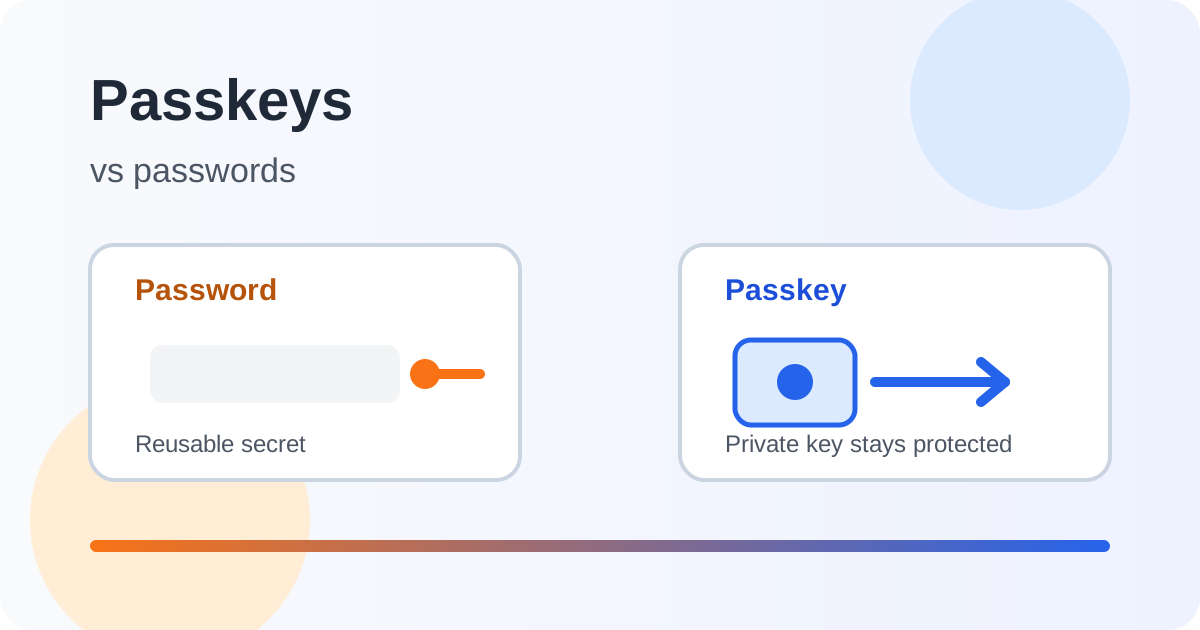
Passkeys are often described as the successor to passwords. That is useful, but incomplete. A passkey is not simply a longer password or a password saved in a browser. It is a different authentication design based on public-key cryptography and a protected authenticator such as a phone, computer, security key or credential manager.
For most supported services, passkeys are a stronger default than password-only login because the private key is not typed into a website and the credential is bound to the legitimate service origin. NIST’s current Digital Identity Guidelines, SP 800-63B-4, identify phishing-resistant authentication as a preferred protection at higher assurance levels. FIDO describes passkeys as FIDO credentials that use public and private key pairs instead of shared passwords.
What a password exposes
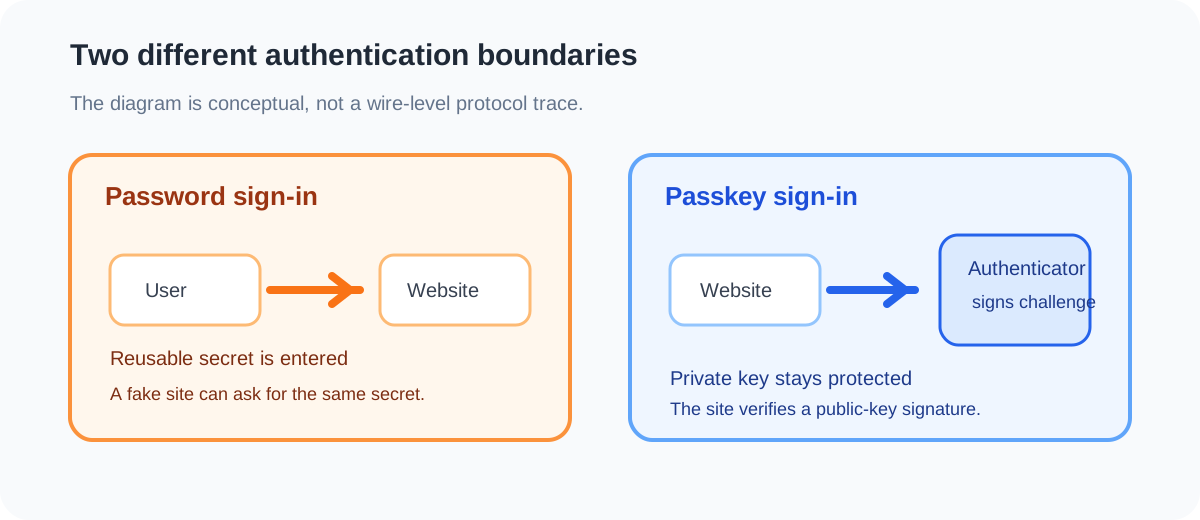
A password is a reusable secret that a user knows and presents during sign-in. Even when a service stores only a verifier, the user still has to type or paste the secret into a page. That creates several risks: password reuse, phishing, guessing, replay, credential stuffing and exposure through unsafe recovery flows.
A unique password generated by a password manager is much safer than a reused password. It is still transferable. If a user is tricked into giving it to a fake site, the fake site may be able to use it.
How a passkey works
During registration, the authenticator creates a key pair. The private key remains protected by the device or credential manager. The service stores the public key.
At sign-in, the service sends a challenge. After local user verification such as a device PIN, password or biometric gesture, the authenticator signs the challenge with the private key. The service verifies that signature using the public key.
The user does not type a reusable secret into the page, and the private key is not sent to the service. That is the core security difference.
FIDO distinguishes synced passkeys, which can be available across trusted devices through a credential manager, from device-bound passkeys that stay tied to one authenticator. Synced credentials improve availability. Device-bound credentials can provide stronger separation in some threat models. Both require a recovery plan.
Why passkeys resist phishing
The main advantage is origin binding. A fake page can ask for a password and forward it to an attacker. A properly implemented WebAuthn passkey is associated with the legitimate relying party origin, so the browser and authenticator should not create a valid signature for an unrelated domain.
NIST describes phishing resistance as preventing an authentication secret from being disclosed to an impostor verifier. Passkeys fit that model because the private key is used by the authenticator rather than disclosed to the website or user interface.
This does not remove every social-engineering risk. An attacker may still trick someone into approving a login, enrolling a new authenticator, sharing a recovery code, or using a compromised device. Passkeys strengthen the sign-in boundary, not the entire account lifecycle.
Passkeys versus passwords
| Property | Password | Passkey |
|---|---|---|
| User action | Types a reusable secret | Approves use of a protected private key |
| Server-side record | Password verifier | Public key and account metadata |
| Phishing resistance | Depends on user and other controls | Designed to bind the credential to the legitimate origin |
| Reuse risk | High unless every site gets a unique password | No shared password to reuse |
| Recovery focus | Reset and protect the password | Register and recover authenticators safely |
| Main endpoint risk | Keylogging, clipboard theft, browser theft | Malware or attacker control of an unlocked device |
This is a comparison of mechanisms, not a guarantee about the service around them. Weak account recovery can undermine a strong login method, and a compromised device can undermine both methods.
Are passkeys automatically multi-factor authentication?
Not in exactly the same way for every service. A passkey may combine possession of an authenticator with local user verification using a PIN or biometric. FIDO describes this as something the user has combined with something the user knows or is.
The practical question is whether the service requires meaningful user verification before the credential is used and how it records the resulting authentication strength. A passkey can be phishing-resistant without matching every possible multi-factor configuration.
What happens if a device is lost?
The answer depends on where the passkey is stored and how recovery works.
For synced passkeys, a replacement device may restore credentials after the user authenticates to the credential manager. That makes the platform account and its recovery factors important. For device-bound passkeys, the user may need another registered authenticator or a service recovery process.
Before enabling passkeys on an important account, register more than one recovery path where supported. A second passkey, hardware security key or securely stored recovery code may prevent a lost phone from becoming a permanent lockout. A recovery code stored only on the lost device is not a resilient plan.
Do passwords disappear after enabling a passkey?
Usually not. Many services support passkeys alongside passwords while adoption grows. That is convenient, but the password remains an attack path.
If the password remains enabled, make it unique and store it in a protected manager. My guide to password managers explains why unique credentials and secure recovery still matter. Some services allow password removal after a passkey is added. Consider that only after confirming that recovery and device enrolment are practical for you.
Passkeys do not protect a stolen session
Passkeys protect authentication. They do not automatically protect an already authenticated session, an unsafe browser extension, a compromised endpoint or a harmful action approved after login.
Session cookies, authorisation checks, account alerts, device updates and least privilege remain important. The same principle applies to administrative portals and AI-enabled applications. Authentication is one control in the system, not the whole system. See secure AI chatbot architecture for a related example of separating identity, authorisation and action controls.
A sensible adoption plan
Start with high-value accounts that already support passkeys, especially email, cloud administration and financial services. Register a second authenticator where possible. Keep unique generated passwords for services that do not support passkeys yet. Review account activity after enrolment and remove authenticators you no longer control.
Do not create a passkey on a shared or unmanaged device unless you understand who can unlock it. Do not approve an unfamiliar enrolment request because a message claims it is urgent. Recovery, enrolment and revocation should be treated as part of the security design, not as support details to think about later.
The balanced answer
Passkeys are generally more secure than password-only authentication for services that implement them correctly. They replace reusable shared secrets with origin-bound public-key credentials, reduce the value of password phishing and make password reuse irrelevant for that account.
They are not magic. Device compromise, session theft, account recovery abuse and poor enrolment decisions still matter. Synced passkeys also create a credential-manager trust boundary that deserves protection.
The practical approach is to use passkeys for important supported accounts, register more than one recovery method, keep devices updated and treat every recovery path as part of authentication. For accounts that still depend on passwords, use a unique generated password and a secure manager. The goal is not to follow a trend. It is to make the account harder to impersonate and easier to recover safely.