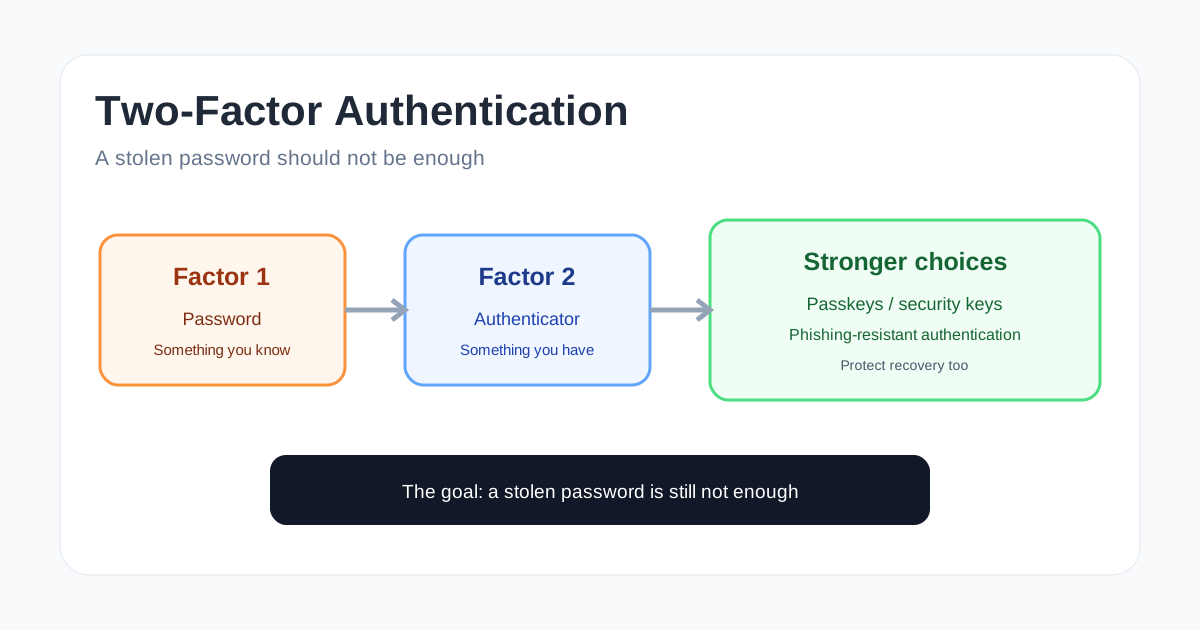
A password is a useful security control, but it is also a secret that can be stolen, guessed, reused or entered into a fake website. Two-factor authentication adds another requirement before an account can be accessed.
That extra step matters because an attacker who obtains your password may still be missing the second factor. But there is an important detail that is often overlooked: not every second factor provides the same protection.
CISA describes multi-factor authentication as a layered approach that requires two or more different authenticators. It also recommends moving toward phishing-resistant methods where possible. NIST’s Digital Identity Guidelines, SP 800-63-4, provide the current technical framework for authentication and authenticator management.
What does two-factor authentication actually mean?
Authentication factors are usually grouped into categories based on what the user possesses or knows, or on a characteristic of the user.
The familiar categories are:
- Something you know: a password or PIN.
- Something you have: a security key, authenticator device or other possession.
- Something you are: a fingerprint or face characteristic used by an authentication system.
Two-factor authentication means the login requires two independent factors from different categories. The important word is independent. Entering two passwords is not normally two-factor authentication because both are knowledge factors.
MFA is the broader term. It can require two or more factors, while 2FA specifically describes two.
Why a second factor helps
Imagine that your email password has been exposed in a phishing attack. With password-only authentication, the attacker may be able to log in immediately.
With MFA enabled, the attacker also needs the second factor. Depending on the method, that may be a code from an authenticator app, approval on a device, a hardware security key or another authenticator.
This does not make the account impossible to compromise. It changes the attacker’s problem from stealing one secret to defeating an additional security control.
That is why MFA is especially useful for email, financial services, remote access, administrator accounts and other accounts that can unlock access to additional systems.
Not all MFA is equally strong
This is one of the most important points to understand.
SMS codes
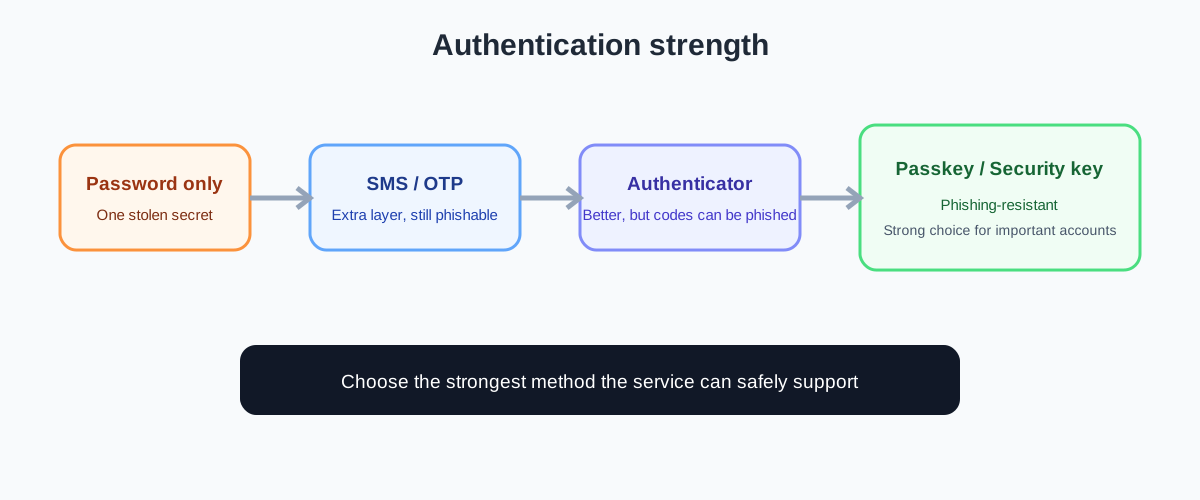
An SMS code is familiar and widely supported. It is better than relying only on a password, but it is not the strongest available option.
SMS can be exposed through attacks against the phone account, message interception or social engineering. It can also be phished because a user can be persuaded to type the code into a fake website.
Use SMS when it is the strongest option a service offers, but prefer stronger methods when available.
Authenticator app codes
An authenticator app can generate a time-based one-time password. The code is produced on a device rather than sent through the mobile network.
This is generally a better option than SMS in many situations, but the code can still be phished. If a fake website asks for the current code and the user provides it, an attacker may be able to use it during the valid window.
Push approvals
Push-based MFA can be convenient because the user approves a login notification instead of typing a code. However, repeated unexpected prompts can be abused in what is often called MFA fatigue or push bombing.
Number matching can reduce some of this risk by requiring the user to confirm a number shown in the login flow. CISA recommends number matching as an improvement when phishing-resistant authentication cannot yet be deployed.
Security keys and passkeys
FIDO-based security keys and passkeys use public-key cryptography and can provide phishing-resistant authentication. The authenticator is designed to work with the legitimate relying party rather than simply giving the user a secret to type into any page.
This changes the phishing problem significantly. A fake site may be able to trick someone into revealing a password, but it cannot simply ask for the private cryptographic key in the same way.
My earlier guide, Passkeys vs Passwords, explains the difference between password credentials and passkeys in more detail.
A simple comparison
| Method | Better than password only? | Phishing resistance | Main concern |
|---|---|---|---|
| SMS code | Yes | Low | Social engineering and account takeover of the phone channel |
| Email code | Yes | Low | Email account compromise and phishing |
| Authenticator code | Yes | Limited | Codes can still be entered into phishing sites |
| Push approval | Yes | Limited | Unexpected approval requests and user fatigue |
| Number matching | Yes | Better | Still relies on user interaction and the surrounding login flow |
| FIDO security key | Yes | Strong | Requires compatible enrollment and recovery |
| Passkey | Yes | Strong | Recovery and device/account management still matter |
The exact security of a method depends on how the service implements it and how the account recovery process works. The table is a practical comparison, not a universal ranking for every environment.
MFA does not replace good passwords
If an account supports MFA, you should still use a unique password. MFA is an additional layer, not permission to reuse the same password everywhere.
A password manager can help create and store unique passwords. If a password is exposed, MFA can reduce the chance that the attacker can use it immediately, while unique passwords reduce the number of other accounts exposed by the same compromise.
For more background, see Password Managers Explained and Passkeys vs Passwords.
Protect the recovery process too
A common mistake is to secure the normal login but leave account recovery weak.
Suppose an account uses a strong authenticator, but anyone who can answer a few easy questions or access a weak recovery channel can reset the account. The attacker will target the recovery path instead.
Recovery should therefore be treated as part of authentication. Strong recovery options, careful verification and appropriate notifications help prevent MFA from becoming a security control that can simply be bypassed.
For high-value accounts, consider how a lost device, lost security key or compromised recovery email would be handled before you enable MFA. A secure control needs a secure way to recover from its failure.
What MFA fatigue looks like
An attacker who has obtained a password may repeatedly trigger login requests hoping the user eventually approves one simply to make the notifications stop.
If you receive an MFA prompt that you did not initiate, do not approve it. Treat it as a security warning. Change the password through the legitimate service and review recent account activity.
Number matching can make accidental approval harder, but the best protection for important accounts is a phishing-resistant authenticator that does not depend on the user approving a generic login prompt.
Where should you enable MFA first?
You do not need to change every account at once. Start with accounts that can unlock other accounts or cause significant damage.
A sensible order is:
- Primary email account.
- Financial and payment accounts.
- Cloud storage and important work accounts.
- Password manager.
- Social media accounts with recovery or payment information.
- Developer, administrator and remote-access accounts.
- Other important personal services.
For organisations, prioritize privileged accounts, remote access, email and systems containing sensitive information. CISA recommends requiring MFA and prioritizing stronger phishing-resistant methods where possible.
What if a service does not support MFA?
You cannot enable a feature that the provider does not offer. In that situation, reduce the risk around the account.
Use a unique strong password, enable security notifications, keep recovery information current, review active sessions and use the strongest authentication option the service provides. If the account is particularly sensitive, consider whether the service is appropriate for that purpose.
A practical MFA checklist
For each important account, ask:
- Is MFA available?
- Which MFA methods are offered?
- Is there a phishing-resistant option such as a passkey or security key?
- If not, can I use an authenticator app instead of SMS?
- Are unexpected login prompts easy to recognise?
- Is number matching available for push authentication?
- How does account recovery work?
- Can I revoke lost devices or authenticators?
- Can I review recent sign-ins and security events?
- Is my password unique even though MFA is enabled?
The strongest option is not always the one with the most complicated setup. It is the one that provides the right protection and can be managed safely over time.
The key idea
Two-factor authentication is one of the most useful improvements you can make to an account because it prevents a stolen password from automatically becoming a successful login.
But “MFA enabled” is not the end of the security conversation. SMS, one-time codes, push notifications, number matching and phishing-resistant cryptographic authenticators have different properties. For important accounts, prefer the strongest method the service can support, protect the recovery path and keep the password unique.
The goal is not to make authentication difficult. It is to make a stolen password insufficient.