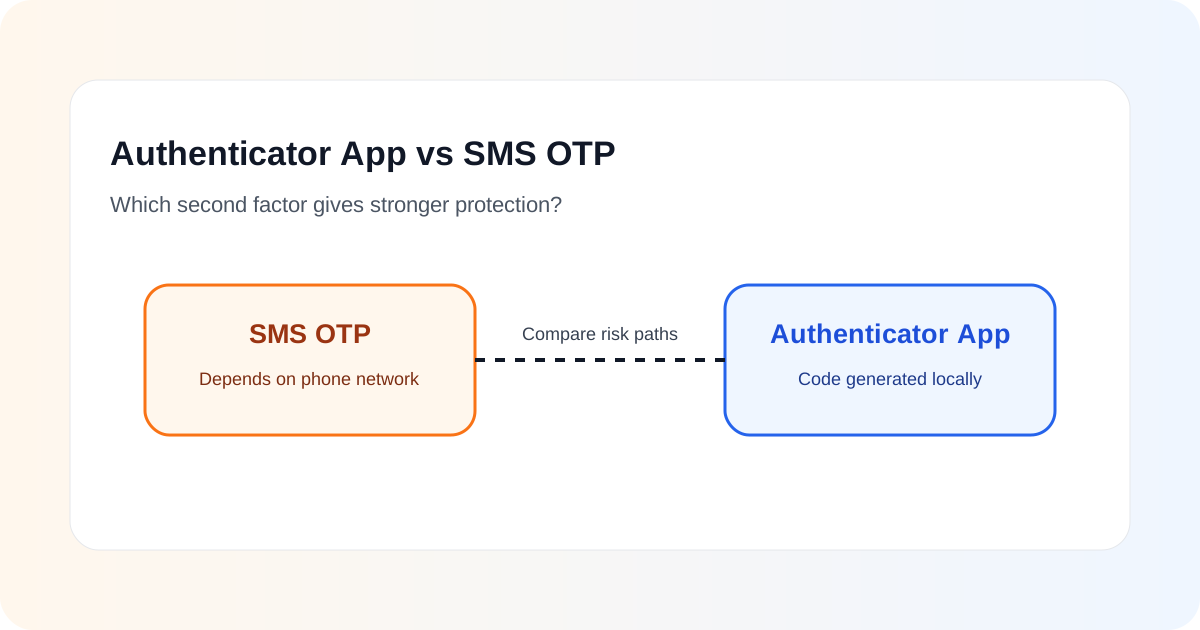
If a website offers both an authenticator app and SMS codes for two-factor authentication, the authenticator app is usually the better choice. SMS is still much better than relying on a password alone, but it depends on the mobile network and the security of the phone number. A time-based code generated inside an authenticator app removes that dependency.
There is an important limitation, however: a normal six-digit authenticator code is not phishing-resistant. A convincing fake login page can ask for the password and then immediately ask for the current authenticator code. If the attacker relays both values to the real service quickly enough, the account can still be compromised.
For the strongest protection, use a phishing-resistant method such as a FIDO security key or passkey when the service supports it. When the practical choice is specifically between SMS and a standard authenticator app, choose the authenticator app for important accounts.
This article focuses on that practical decision and the reasons behind it.
What is an SMS OTP?
An SMS OTP is a one-time code sent to a phone number by text message. During login, the user normally enters a password first and then enters the code received by SMS.
This adds a second step that an attacker must overcome. If an attacker only knows the password, the account can still remain protected because the attacker also needs access to the verification code.
That is why SMS-based MFA should not be dismissed as useless. It is a meaningful improvement over password-only authentication, particularly when no stronger option is available.
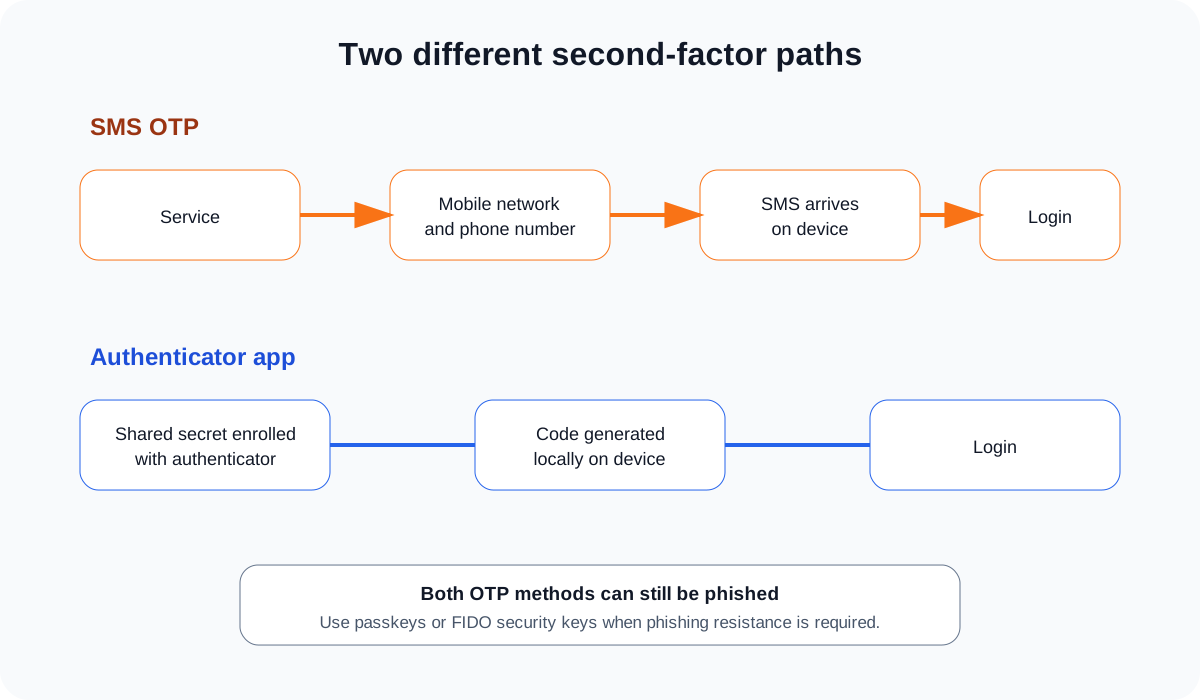
The weakness is that the code travels through a communications channel that was not designed as a high-assurance authentication system. Security depends not only on the website and the user’s device, but also on the mobile account, SIM provisioning process and telecommunications infrastructure.
What is an authenticator app?
A standard authenticator app usually generates a time-based one-time password, commonly called a TOTP. The service and the authenticator share a secret during enrolment. The app then calculates a short code locally, typically changing it every 30 seconds.
The important difference is that the code does not need to be delivered over the mobile network each time the user logs in. The phone can normally generate the code even when it has no mobile signal or internet connection.
Examples of software that can provide this type of authentication include dedicated authenticator apps and password managers that support TOTP. The specific product matters less than the security of the device, the enrolment process and the way backup or recovery is handled.
Why authenticator apps are generally stronger than SMS
CISA currently places text or email codes below authenticator app methods in its MFA guidance. It recommends using the strongest method a service supports, with security keys and stronger authenticator app methods above simple texted codes.
The security difference comes mainly from the attack path.
| Security question | SMS OTP | Authenticator app code |
|---|---|---|
| Depends on mobile network delivery | Yes | No |
| Vulnerable if phone number is fraudulently transferred | Potentially | Not directly |
| Works without mobile signal | Usually no | Usually yes |
| Can be entered into a phishing page | Yes | Yes |
| Normally resistant to phishing | No | No |
| Better than password alone | Yes | Yes |
The table shows why the answer is not simply “authenticator apps are secure and SMS is insecure.” Both improve account security, but both can still be phished. Authenticator apps remove several risks associated with the phone number and mobile network, which is why they are normally preferred.
The problem with SIM-related attacks
One of the best-known weaknesses of SMS authentication is that control of a phone number can sometimes be moved from one SIM to another. This can happen legitimately when a customer replaces a phone, changes provider or activates an eSIM. If an attacker successfully abuses that process, authentication messages may begin arriving on the attacker’s device.
This does not mean every SMS user is likely to experience a SIM-swap attack. It means the security of the second factor partly depends on a recovery and provisioning process outside the website that the user is trying to protect.
An authenticator app based on a local secret does not normally follow the phone number. Moving the phone number alone does not transfer the authenticator secret.
That reduces one category of attack, although it creates a different responsibility: the user must protect the device and any authenticator backups.
SMS messages also have communication-layer limitations
CISA has advised highly targeted users not to use SMS as a second factor when stronger authentication is available. Its mobile communications guidance notes that SMS is not phishing-resistant and that messages can be exposed if an attacker gains the necessary telecommunications access.
For an ordinary consumer, the practical lesson is not to panic about every text message. The lesson is to avoid treating the phone number as an exceptionally strong security boundary.
If an account supports a better authentication method, moving away from SMS reduces reliance on the telecom channel.
Authenticator codes can still be phished
A common misconception is that a rotating code from an authenticator app cannot be stolen. It can.
Imagine a fake website that perfectly copies a real login page. The victim enters a username and password. The fake site immediately sends those credentials to the real service. The real service asks for a one-time code. The fake site asks the victim for that code and relays it before it expires.
The attacker never needs to predict the six-digit code. The victim supplies a valid one.
This is why NIST distinguishes phishing-resistant authentication from methods that simply use an additional factor. A one-time password is useful, but it is not inherently bound to the legitimate website in the same way that WebAuthn or FIDO authentication can be.
For more background, see Two-Factor Authentication Explained and Passkeys vs Passwords.
What about push notifications?
Some authenticator apps also support push-based approval. Instead of typing a rotating code, the user receives a login request and approves it.
This can be more convenient, but a simple “Approve” button can create another problem: MFA fatigue. An attacker who already knows the password may repeatedly trigger login prompts and hope the user eventually accepts one.
Number matching is stronger. The login screen displays a number and the user must enter or select the matching number in the authenticator app. This makes blind approval harder and gives the user more context about the login attempt.
CISA ranks authenticator app number matching above ordinary one-time codes in its current guidance.
Even then, users should reject unexpected prompts rather than treating the notification itself as proof that the login is legitimate.
What should you use for important accounts?
A practical preference order is:
- Passkey or FIDO security key, where supported.
- Strong app-based authentication such as number matching.
- Authenticator app TOTP code.
- SMS OTP when stronger options are unavailable.
- Password-only login only when the service offers nothing better.
The exact choices offered by each service vary. Some services also support hardware tokens, certificate-based authentication or platform-specific security mechanisms.
The main principle is to choose the strongest option that is realistic for the account and user.
Which accounts should you upgrade first?
Not every account has the same impact. Prioritise the accounts that can be used to recover or take over other accounts.
Start with:
- your primary email account;
- password manager;
- banking and payment accounts;
- cloud storage;
- work or school accounts;
- social media accounts;
- developer platforms and source code repositories;
- any administrator account.
If an email account is compromised, the attacker may be able to reset passwords elsewhere. That makes email protection particularly important.
Recovery is part of MFA security
A strong login method can be undermined by a weak recovery process.
Suppose an account uses an authenticator app, but the “I lost my phone” process allows the user to fall back to an SMS code. In that design, SMS may still be the effective weakest link.
This is why simply enabling a stronger factor is not always enough. Review the recovery methods that remain active.
Where possible:
- store recovery codes securely;
- remove obsolete phone numbers;
- protect the email account used for recovery;
- do not keep recovery codes in an easily accessible photo gallery or unprotected note;
- review whether SMS remains enabled as a fallback;
- add a second strong authenticator if the service supports it.
A password manager can be useful for storing recovery information securely, as discussed in Password Managers Explained.
What happens if you lose the phone?
This is one reason some users prefer SMS. Moving a phone number to a replacement device can feel easier than restoring an authenticator setup.
The correct solution is not necessarily to accept weaker authentication. Instead, set up recovery before the phone is lost.
Depending on the service, sensible options can include:
- one-time recovery codes;
- a second enrolled authenticator;
- a second security key;
- encrypted authenticator backup;
- a securely protected password manager that stores TOTP secrets.
The safest design avoids a single fragile recovery path.
Should you disable SMS after enabling an authenticator app?
For a high-value account, it is worth checking.
Some services let users add an authenticator app but keep SMS enabled as an alternative login or recovery method. If an attacker can choose the weaker method, the account may still inherit part of the SMS risk.
CISA specifically warns that enrolling in authenticator-based MFA does not necessarily disable SMS automatically.
Before disabling anything, make sure you have a safe recovery method. Locking yourself out is not a security improvement.
A simple decision guide
If a service gives you these choices, use the following approach:
Only password available: use a unique, strong password and consider whether the service is appropriate for sensitive information.
Password plus SMS available: enable SMS. It is better than leaving MFA off.
SMS or authenticator app available: choose the authenticator app.
Authenticator app or passkey/security key available: prefer the passkey or security key for stronger phishing resistance.
Multiple strong methods available: enrol more than one where practical so recovery does not depend on downgrading to a weak fallback.
Common mistakes
Several mistakes reduce the value of MFA:
- approving an unexpected push notification;
- reading an OTP aloud to a caller claiming to be support staff;
- typing a code into a website reached through a suspicious message;
- using the same weak password everywhere because “MFA will protect it”;
- keeping an old phone number attached to important accounts;
- enabling an authenticator app but leaving an unnecessary weaker fallback active;
- failing to store recovery codes before changing phones.
An OTP should be treated like a temporary password. A legitimate support person should not need you to send them a login code that was generated for your authentication session.
The practical answer
Between a standard authenticator app and SMS OTP, the authenticator app is generally more secure because it does not rely on delivery through the mobile network and is not directly transferred with a phone number.
But a normal authenticator code is still vulnerable to real-time phishing. If an important service supports passkeys or FIDO security keys, those methods provide stronger protection because they can be bound to the legitimate site.
The goal is not to find one perfect authentication method. It is to reduce the realistic ways an attacker can take over the account, while keeping recovery safe and usable.